 VGrab
VGrabGuide
Love it, keep it.
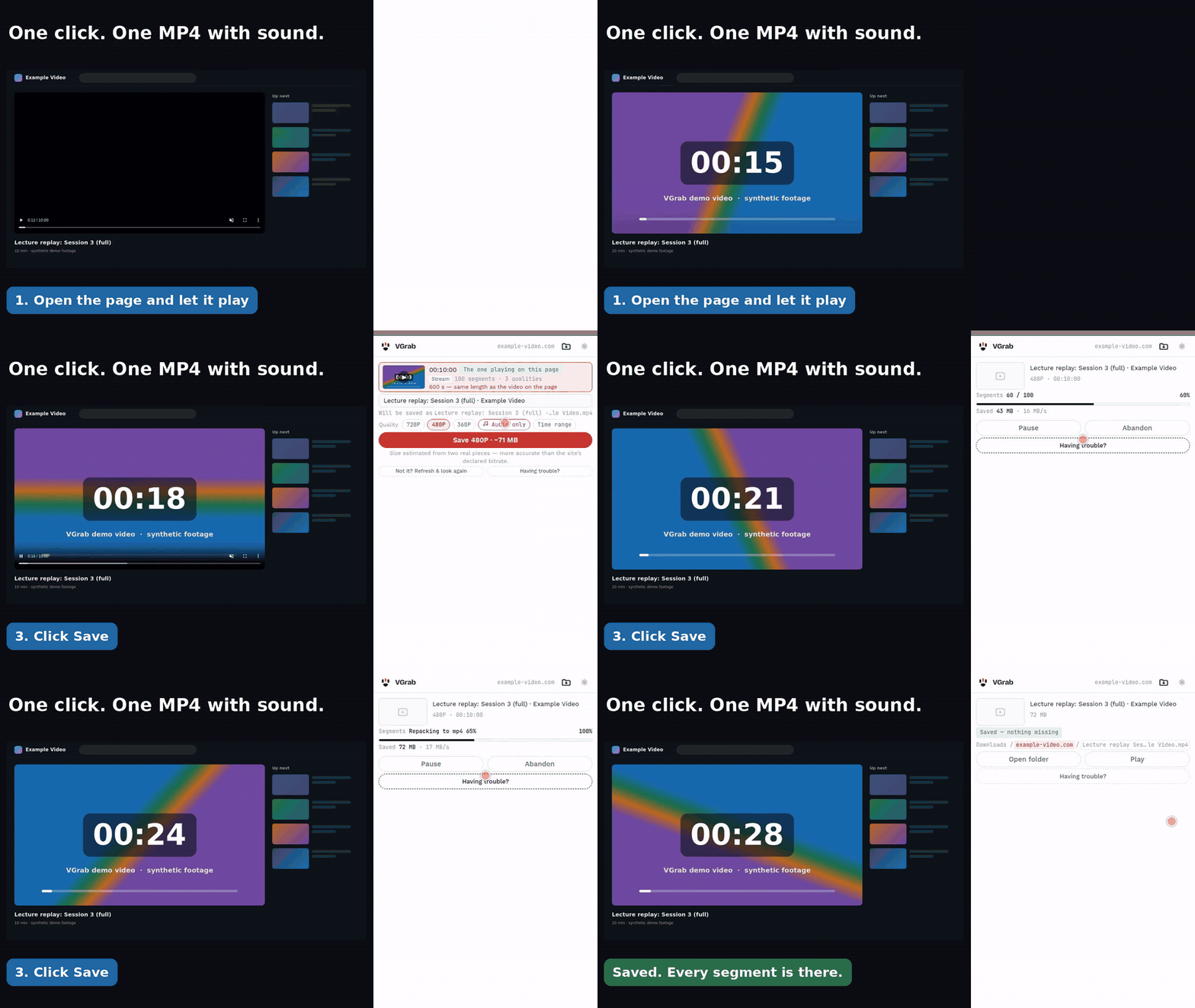
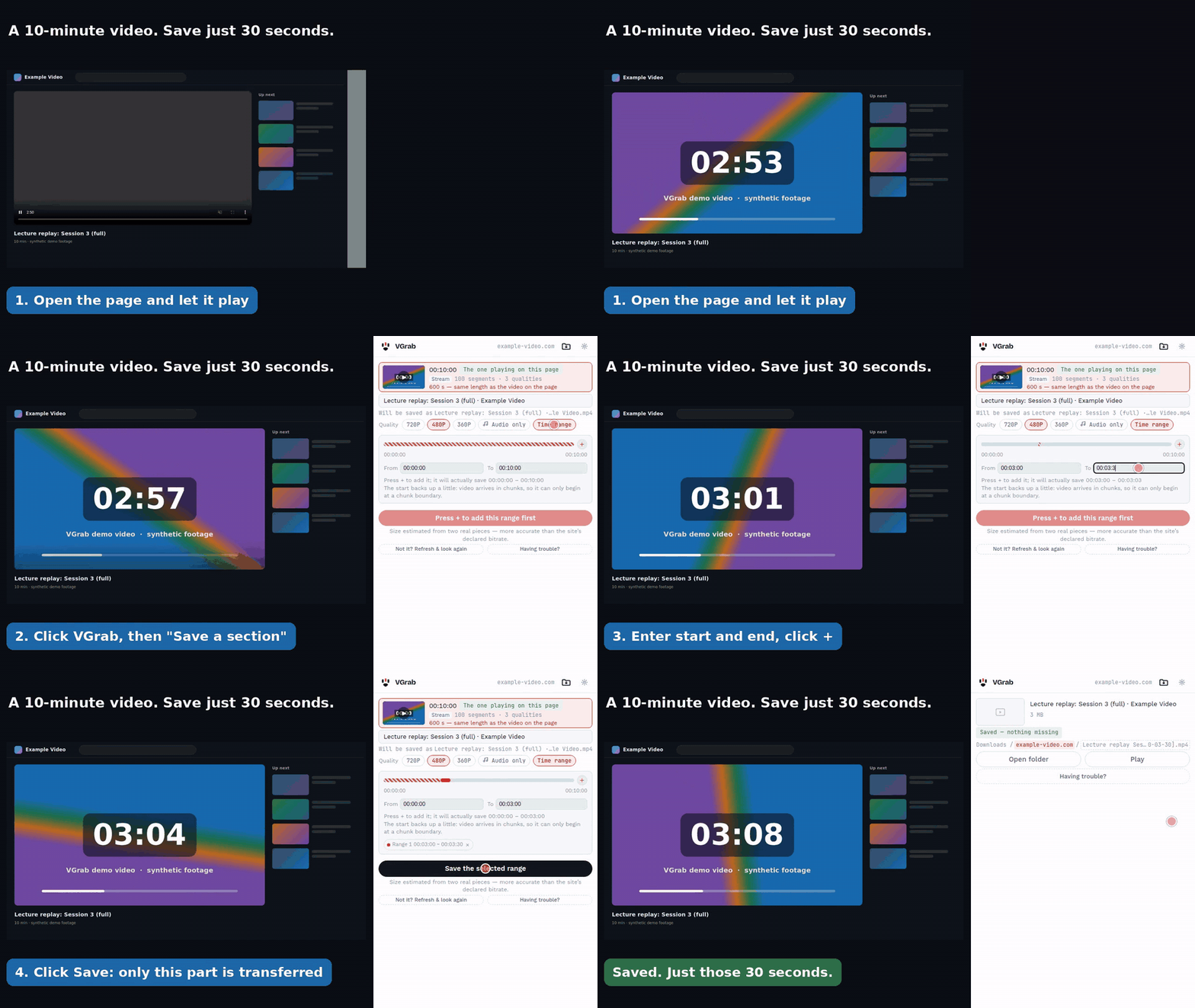
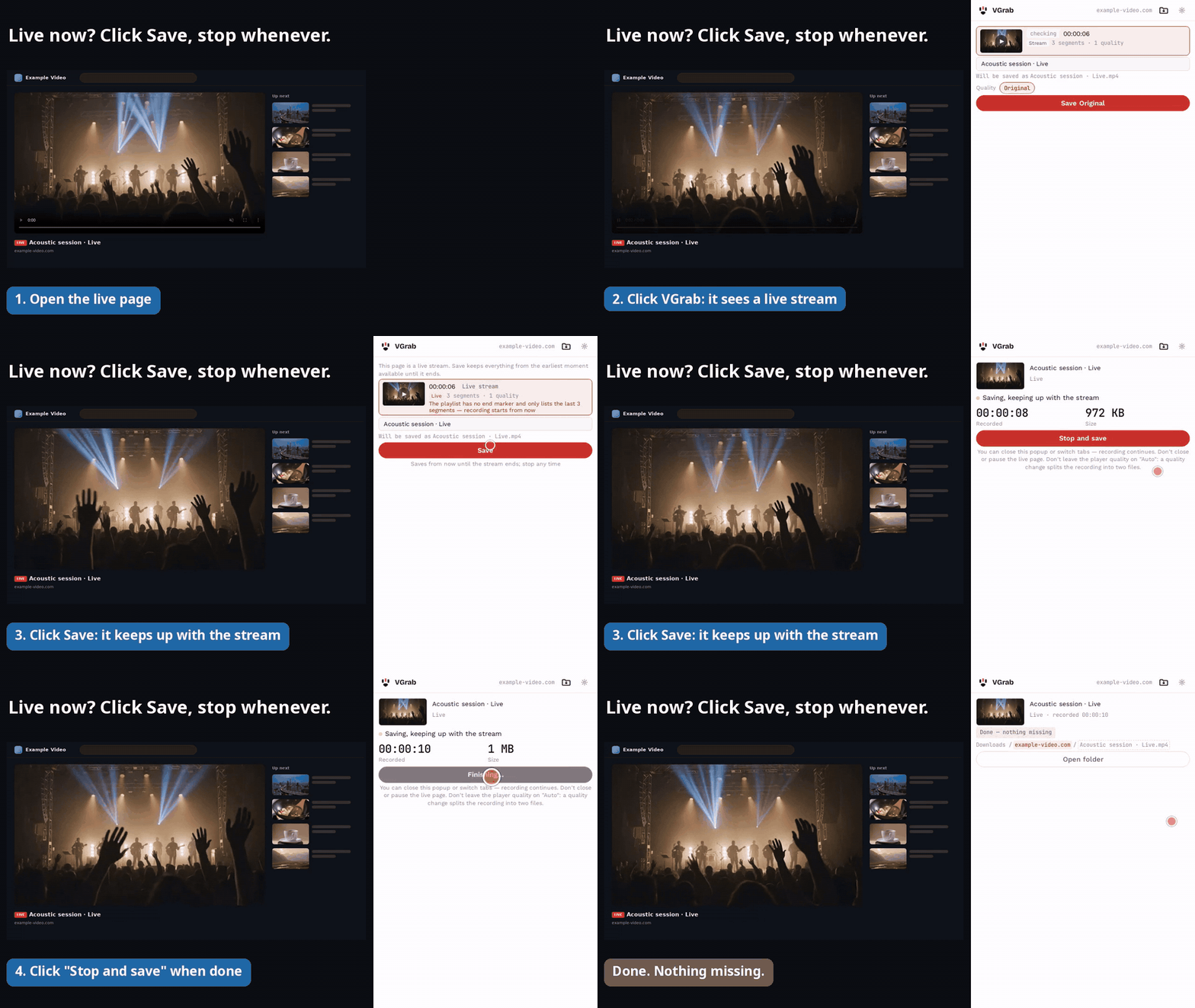
VGrab is a video downloader extension for your browser. Open a video page, click the icon, and VGrab finds the video that's playing and saves it as an MP4 with sound: the whole thing, just the part you pick, or a live stream recording. No account, videos never go through our servers, files stay on your computer.
How to use it
VGrab does one thing: it lets you save the video you're watching in your browser to your own computer, simply. The extension is free, collects none of your data, and shows no ads. Data comes up in three places, all on this website: what you type on the feedback page and choose to send reaches us, and is used only to reply to you and fix problems; every page counts visits with Google Analytics (which pages, rough region, browser type); pages other than the downloads page and the feedback page show Google ads, and Google records ad views and clicks. The details are in the privacy policy.
Three principles
No specific sites — it works by format
There is not one specific website name in the extension’s code. VGrab recognises video formats (M3U8 / HLS streams, whole files, live), so every site is treated the same and none is specially adapted.
It never touches DRM
When it meets DRM-protected content (Widevine, FairPlay, PlayReady), the extension recognises it, tells you plainly it can’t be downloaded, and stops. We build nothing that circumvents DRM.
Not a byte is uploaded
Detection, downloading, merging and saving all happen on your own computer. The extension itself sends no data to any server, with no analytics and no error reporting. The only time it contacts our server is to read a public block list every few hours, and that request carries nothing about you.
Contact
Questions or suggestions? Write to: [email protected]
Run a site and want us to block it, or hold a copyright and want to file a complaint? Write to: [email protected]
Website and Chrome Web Store: vgrab.net · Chrome Web Store